Display Comb 4

/ featured media, post meta, title, read more link and full content

Recently I started looking for my next role and I decided to apply search engine marketing (SEM) and Search Engine Optimization (SEO) techniques to that search. It has been so effective that I have shared it with a few friends and decided to write a quick guide. In fact, so broad is this topic, I am going to break this up into a few topics. This is the covering the first topic: keyword research. You can see a few screenshots at the bottom of this post. Here are the other topics and as I complete this guide, I will update with links:

Results

There are really two factors I have used to gauge how well this has worked. First, I was getting about 5ish calls or emails from recruiters per month before doing this and closer to 20 calls per month after. So probably about a 4X increase in touches from recruiters. Also, LinkedIn the number of impressions your profile has received from searches on site. So this is when a recruiter is searching for a skill and you have appeared. You can find this number on your profile page just below your description in the section titled Your Dashboard. At the top there is a section that says Search Appearances (see image below…image 1 of 3). This has also increased about 3 to 4 times. In short, this is why I think this exercise is so important. It increases your exposure to recruiters that are searching for skills. And that is where we are going to start: identify the skills you have that are most relevant to the roles you are looking for. There is another benefit that is harder to quantify. I feel the roles I have been contacted about are better quality and closer to what I am looking for because I have removed a lot of skills that are no longer as relevant to what I am looking for. At one point I had several finance roles but now I am looking for marketing roles. So those skills are great, but not as relevant in what I am currently looking for.

Create A List of Keywords or Skills

If I was working for a brand that wanted to run some SEM campaigns, I would start by looking at keywords they are currently ranking well for and then a larger list of related keywords that they probably want to rank for. Those lists are usually have different keywords and that is why the exercise is important. If you are selling desks, you don’t want to rank for “rustic desks” if “farmhouse desks” are more frequently searched for. In the same respect, you may have skills that might be searched for in a number of ways and you want to be sure you are using the term that recruiters are searching for most often. How do you do this? The best way I have found to identify skills that recruiters are searching for is to track skills listed on roles posted on LinkedIn. I looked at over a dozen job postings on LinkedIn and copied the skills into a worksheet to see which skills were most common. Each time I applied to a role, I was sure to add that to the list which continued to grow a list of relevant keywords and skills. They are not on every job posting but on many on the right column there is a section How You Match and below that Skills and below that should be about a dozen skills that are considered most important to the role. Also, those skills will have either a blue or white check to indicate if LinkedIn believes you have that skill or not. Like me, you might be thinking, “but wait! I have that skill!” You need to make a list of those skills for about a dozen related roles that you feel are a good fit for you and identify the skills/keywords that are most common. I made a list that showed the skill, 0 for not and 1 for having that skill, the company, the title, and date posted. I then made a pivot table that showed how frequently those skills appeared. Not only does that show you the most frequently listed skills for the types or roles you are seeking, but if you are deemed to have them. The top 5 most common skills for the role I was looking for were marketing, search engine marketing (SEM), management, advertising, pay per click (PPC). More importantly, I found for I have many of the frequently listed skill but LinkedIn did not think I did. So what do you do in this case?

Optimize Your Resume, Portfolio Page, and Job Profiles

I will go into this in more detail in another post, but essentially you need to make sure you have those skills mentioned in the description of every role you have listed on LinkedIn with quantification when possible. The most important you are probably going to want to have the most important in your headline and main description. In fact, right now I have 6 skills in my headline on my LinkedIn profile. In my description section below the brief paragraph, I have listed another 30 skills. Most people do not even see this, but the text is there for LinkedIn to index. Then in the bullets of my prior roles, I tried to mention as many of those skills that I actually used in that role with quantification where I could. One thing I would add: do not feel you need to hit every skill listed, just the most relevant skills you actually possess. In the example below (image 3 of 3) the role listed “Social Media Optimization”. There can be several ways to list a skill and in this case it is also called “Content Optimization” or “Merchandising”. In looking at over a dozen roles, I created a list of about 70 skills 2/3rds of which were only listed on one role. I would focus on the skills used more frequently. Also, listing a skill that you have no experience with is going to come across as lying and get you eliminated quickly. So I would also be sure to not list a skill unless you can demonstrate how you have used that in a previous role.

Conclusion

Recruiters and job search sites are giving you some great information and making note of that is going to help you tremendously in landing your dream job. This will not only increase the number of times you appear in search results, but the number of times your profile is likely clicked on.

[slideshow_deploy id=’704′]

Went to Geneva to see my dad from July 29 to August 6th. Want to highlight a few things with pics below. Spent some time driving around with Bob and Lenny Pippen. Lenny is one of my dad’s partners on his new hotel on Plum Point, which is on Seneca Lake. Also went wine tasting, toured the Glenn Curtiss Museum, toured the National Baseball Hall of Fame and Museum in Cooperstown, and got to have a few beers with the Master Brewer at Genessee Brewery.

Glenn Curtiss

This was way cooler and more interesting than I thought it would be. Glenn Curtiss was one of the first people to commercially make motorcycles in the United States. And he was one of those guys that was only doing it because it was his hobby. He set several records and one several races. Shortly after the Wright Brothers first flight at Kitty Hawk, he was asked to make an engine for an aeroplane. He designed an eight cyllinder. A V8 engine design. It was the first V8 ever. He asked some of the guys what would happen if he put it on a motorcycle. “You’ll kill yourself.” So of course he put it on and took it out to the Carnival of Speed at Ormond Beach in January of 1907. They wouldn’t let him race the thing, but agreed to let him run a time trial. He ended up breaking the land speed record with 136 miles an hour. A record he held for several years. Not long after that he worked with 5 other men including Alexander Gram Bell to design 4 different aeroplanes, each improving on the last. The Wright Brothers flight at Kitty Hawk was the first flight, but they had not done much after that. Meanwhile Glenn Curtiss competed for several prizes in exibition flights including one that ended in New York City. The Wright Brothers had been the first, but Glenn Curtiss was getting much of the lime light. The Wright Brothers were invited and the events had been set up for them to show people their accomplishment. For whatever reason they never came. But Glennn Curtiss pulled stunt after stunt. The Wright Brothers ended up suing Glenn for everything he had for patent infringement. Henry Ford lent Glenn his attorney to fight the issue but when World War I started, the issue was resolved when the goverment killed the patent in an effort to stimulate development of planes for the war effort. This is a really short summary but it is a really cool story.

National Baseball Hall of Fame

This was very cool, but I have to admit, it wasn’t as cool as I thought it was going to be. Lots of cool stuff but it seemed like it would be epic. It was cool to see a little of the history of baseball’s early years. I got a copy of the 2017 NBHoF Almanac, which was the year Pudge was inducted into the Hall of Fame. Ivan “Pudge” Rodriguez was a catcher for the Texas Rangers from 1991 to 2002. A career batting average of .296 with 311 home runs and 2,427 games behind home plate and erasing 49% of basesteelers.

Linden Street

This street is just cool. It has that feeling of a little quite French street where little cafes and restaurants have tables set out in the street. During the weekend they block it off entirely. Lights cris-cross overhead and there is some graffiti on the southern wall (pictured below). Friday and Saturday night they had bands. For a little college town of 20,000, the street was pretty packed. On of the restaurants is my new Geneva favorite: Fry Bird.

[slideshow_deploy id=’698′]

I started to write this to a newly married friend. He had asked last minute if he could have one of my Field Notes notebooks for his honeymoon. Unfortunately all I had was one I had already started, but I tore out a few pages and it was his. I have come to find journaling as an incredibly effective tool and there are some concepts I have borrowed from others wanting to journal or keep a pocket notebook should know about.

I want to tell my own system, but first a quick story. I take a nice Moleskin notebook to meetings with me. I was meeting with a potential investor back when I was working on a startup. The potential investor had some ideas he thought I should consider. I had the notebook in front of me but it had been closed. His demeanor changed when I took the notebook, opened it, and took out a pen and jotted down some of his ideas. He sat up and excitedly elaborated on his ideas. And they were really good ideas. And I could tell he appreciated that I was listening enough to realize they were good and I was thoughtful enough to make note of them. That is part of the power of the notebook and journaling. It is a physical indication that this idea is important enough to write down. Others notice that. But more importantly I notice that. It is a small way of cementing the importance of an idea. Or the first small step towards getting something done.

Getting Things Done


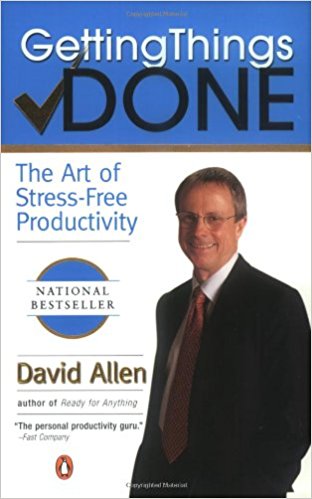
This book has become something of a cult classic. I say cult classic because it is definitely not as well known as other books like 7 Habits of Highly Effective People, but still it is #3 on Amazon’s Time Management category. Basically you need a system that captures 4 categories of “things”. David Allen points out that people are burried in todo lists, emails, letters, bills, notices, requests, and our own barrage of ideas. David suggests putting everything in one of 4 categories:

  1. Things I need to get done today or this week
  2. Things I’d like to do one day maybe
  3. Information I might need at some future date
  4. Ideas

The last one is why I keep a Field Notes journal on me at all times. Ideas are distractions. Maybe they are potentially the winning lottery ticket of an idea. Maybe a future best selling novel. Or maybe just something you need to consider. But if you do not get them down, they will be in the back of your mind nagging at you. Getting them down tells the mind you are on it. It won’t be lost or forgotten. But most importantly you’ll be able to get work done or sleep where had you not jotted it down, it may have kept you up all night.

Bullet Journal

This is a popular topic on YouTube. There are dozens of videos on this with over one million views. This video was what turned me onto the concept. Others have taken that concept and made it their own with their own little tweaks. The thing I liked about it is it is a system of keeping your To Do list organized. It sounds like it would be easy, but it isn’t. With any day’s to do list you may have personal and work items. Events that need to be added to a calendar. Items that need to be elaborated on later. Uncompleted items that need to be carried over to the next day’s to do list. And you will find to do’s that are really, like David Allen suggested, a “one day maybe” task. The thing that I liked most was 1) having an index to quickly find meeting notes or some idea you jotted down and 2) the bullet list itself.

My Own System

I have found this so useful I have 3 notebooks. My large Moleskin notebook for work notes. And a medium notebook for personal journalism and ideas. It is very Zen. I feel a lightness to having that out of my head and on paper. So for the most point, the Field Notes is for ideas. Sometimes people will tell me of a book or something I will want to check out later. With all the notebooks, having an index in the first few pages ala Bullet Journal has been really helpful. I tried the calendar a few times, but I have found using Google Calendar works better. I have also found that putting “someday maybe” items into Evernote works great. But other than Google Calendar and Evernote, I have found paper and pen easier than a digital solution.

One of our online retailers is Wayfair. I was looking at their Q4 2017 10K and surprised their price is going down. Couple points:

  • Undervalued compared to Amazon (compare market cap to annual sales). Amazon’s market cap is more than 4X revenue. Wayfair is just over 1X revenue. Wayfair has posted losses, but they are investing heavily in a growing business.
  • Getting close to top 10 online retailer and in terms of home furnishings I suspect they are actually LARGER than Amazon.
  • Year over year, sales went UP (46% in Q4 2017) while COGS and overhead were relatively consistent or decreased
  • Stock price DOWN 30% from this year’s high despite strong performance
  • Today they are launching Way Day, their answer to Amazon’s Prime Day. One customer has sold more in the last few hours than an average day. Search trends way up.

CONCLUSION: once Way Day performance is announced, stock price will see an immediate rebound. Even then I think it will be a great buy and think they will soon be getting press to push them into top 10 online retailer.

In 2016, Facebook announced they would shut down the BaaS company Parse, which they acquired less than 3 years earlier for $85 million. At the time that just did not make sense. In light of Mark Zuckerberg’s testimony to Congress, that decision seems obvious. It was the death blow to our app right at the time of finalizing development. Mark stated that they do not share user data with app developers. This was absolutely not the case in the days of Parse, when they had an API to do just that. To be clear, not aggregate data, but rather specific user data. Interestingly, Zuckerberg made a comment suggesting that he still feels that there are situations where users would want Facebook to share data between apps or sites while adamantly insisting they did not do that. And though he may have exonerated himself from that issue, Facebook does get user data beyond what users are volunteering to the site. I wanted to write this to quickly explain what a BaaS does, why they flew too close to the sun, and hit on a few security issues that I think everyone should think about. I think people generally understand there is an issue, but are not entirely clear what the issue is and I want to elaborate on the issue as I see it.

All Your BaaS Belong To Us

BaaS is a database hosting service or Backend As A Service. I have asked a number of developers to explain why a BaaS is better than just rolling your own. Parse was using a NoSQL database called Mongo, which is open source. So like MySQL, you can install and run Mongo for free without paying any kind of software license. So why Parse? It manages permissions and is made to work very easily with Javascript frameworks like React. It does other things, but as I understand it, the user permissions were the primary reason we wanted to use it. Facebook also had an API so you could let (and to some degree this still is happening) users log into an app with their Facebook account and thereby skipping filling out the form that comes with creating an account. It is super easy for users, but app developers were also getting access to user data. You had to give some notice of what data you were getting access to, but if people don’t read terms of service agreements, they likely wouldn’t notice this either.

It would have been beautiful

But wait! There’s more! Google is developing a JavaScript framework called Angular. And Facebook is developing a very similar JavaScript framework called React. Like Facebook’s Parse, Google has a BaaS called Firebase. And these tools make it really easy to write code for any device in 1 single language. Before that, you had to write one set of code for the iPhone and one for Android and one for desktop…these frameworks made it simple to develop in one language…JavaScript. Otherwise, you would need developers for each device you wanted your app to work on. And Google and Facebook were in an arms race to get developers on their frameworks and/or BaaS. The developers on my team sold the concept to me like this, “they could be developing a platform where the framework, BaaS, and the user data API all work together and that cuts our development time substantially.” You see, ultimately we wanted to build artificial intelligence tools that make recommendations. User data is key to that. Such a platform would be a shortcut to all the data we could possibly want. It was the data holy grail.

“I think the mistake we made is viewing our responsibility as just building tools…”

Shutting down Parse now makes total sense. It was the Silicon Vally version of shredding documents. All these app companies had evidence of Facebook user data on databases hosted by Facebook. If sharing user data is seen as an invasion of privacy, shutting down the database that had evidence of that was and is a no-brainer. Mark said multiple times that “…we do not share user data with anyone.” That statement is only true in the present tense.

I also want to explain why other statements were incredibly misleading, especially to a non-technical Senator. Mark said he thinks about user data in two buckets: user data on your profile like name, age, favorite bands, and images that users gave Facebook. The other is anything you post to be seen by others in the feed. But there is another bucket! The dark bucket! Mark alluded to a conspiracy theory (which Reply All has a fantastic episode on titled Is Facebook Spying On You?) that posit they are using mobile phones to record personal conversations to better target ads. He unequivocally denied that. As the Reply All episode pointed out, it would probably be too much data anyway. But then, how does Facebook know that you want Charcoal Toothpaste after only just hearing about it at a random marketing conference? I didn’t search that! Or browse to a page selling it! Answer: the data trinity: location data, browsing/search history, and knowing how you are connected with people around you. I was at a marketing conference and Facebook saw several people also at that conference searching for Charcoal Toothpaste and maybe one even bought some (which is actually pretty awesome after all) so they put all that together and now you see those f*&^ing ads all over the internet until you get you some. See, Facebook has data that extends beyond what you give that site and they get it from cookies on your browser when you search on Google or shop on Amazon. It’s like a venereal disease. That little detail was left out. Facebook has given us the internet equivalent of herpes simplex 10.

1 2 3 4 5 13